Know an update breaks checkout before your customers do.
CartProof copies your store into an isolated sandbox, places test orders before and after the pending updates, and only lets the updates through when checkout still works.
Paid plans from $89/yr Pro keeps working if your licence lapses
- v1.0.0 current
- Updated
- Requires WordPress 6.4+, PHP 8.0+
- Works with Web · WooCommerce · WordPress
Why CartProof exists
The problem
Updating WooCommerce is a gamble. A plugin update can stop the Place order button working, remove a shipping method, stop stock from reducing or stop order emails, and none of that shows up on a screenshot. Most owners find out from a drop in orders days later, then spend an afternoon switching plugins off one at a time to find the one that did it.
The outcome
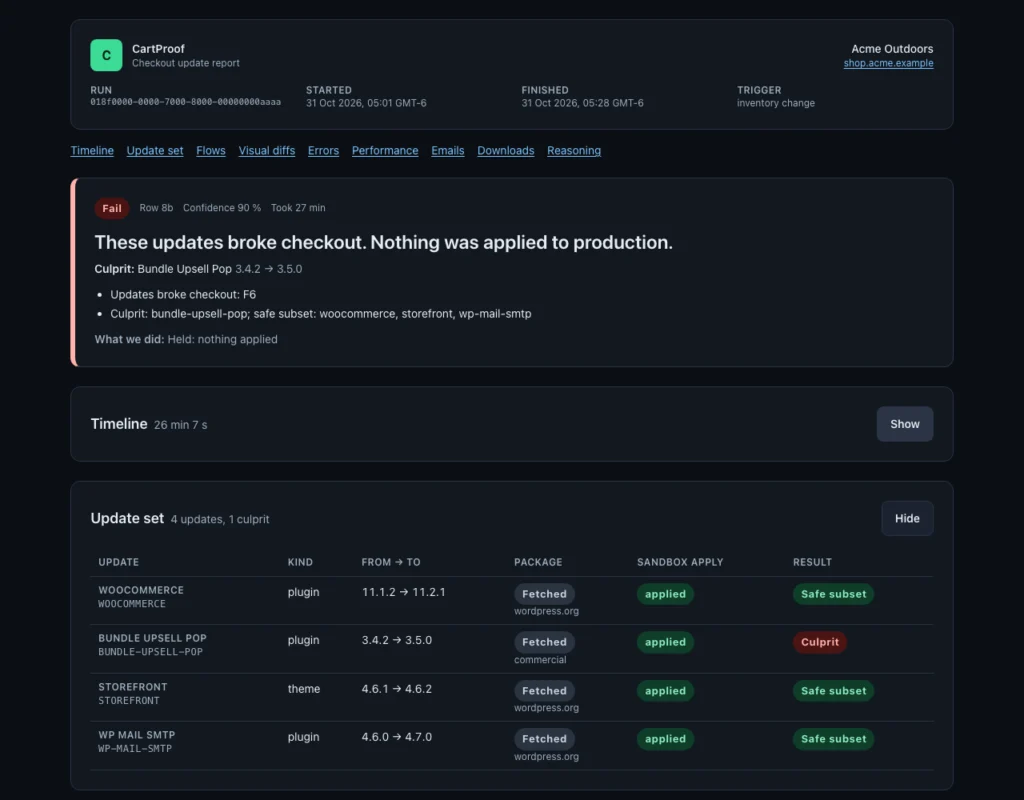
Pending updates are tested against your own store before they reach it. When they pass, they are applied in your maintenance window behind a verified restore point. When they fail, nothing changes on the live store and you get a report that shows which update broke checkout and what still went out safely.
Capabilities
What CartProof does
Everything CartProof does today, in the free edition unless marked Pro.
-
A daily checkout health check
Once a day the connector loads your checkout page with an item in a temporary cart, reads the Store API cart and looks for new PHP fatal errors, then cleans up. CartProof emails you when that changes and sends a digest of waiting updates. Included in the free Checkout Monitor; no order is ever placed.
-
Real test orders, in a sandbox Pro
Each run restores an anonymized copy of your store into an isolated, network-locked sandbox and places guest and customer orders through your actual checkout, block or classic. Payment goes through gateway test modes or CartProof's own test gateway. Nothing touches the live store.
-
Checks what a screenshot can't Pro
Every test order is checked behind the scenes: the order exists with the right status, stock went down, and the customer and admin emails were sent with the right totals. Emails are captured inside the sandbox and never delivered.
-
Before and after, on the same copy Pro
The checkout suite runs once on the untouched sandbox and again after the updates. The verdict compares the two, so a store that was already broken is reported as Baseline broken instead of blaming a plugin, and a test that only fails sometimes is reported as Flaky, never as a pass.
-
Names the update that broke it Pro
On Store Pro and Agency, a failing update set is bisected to the smallest set of updates that breaks checkout. The rest can be applied as a safe subset while the culprit is held.
-
Visual checks tuned for checkout Pro
Before and after captures of cart, checkout and order-received pages with a slider and change overlay. Prices, dates and recommendations are masked, and covered or hidden Place order buttons are flagged as functional risks. In our benchmark, 556 unchanged-store comparisons produced zero false positives.
-
Errors and slowdowns, attributed Pro
New PHP warnings and fatals, JavaScript console errors, failed requests and checkout slowdowns are compared with the baseline and attributed to a plugin or theme where the evidence allows.
-
Applies only behind a restore point Pro
When updates pass, the connector installs the exact packages that were tested, checked by SHA-256, after creating and verifying a restore point on your server. It then re-checks the live checkout and rolls back automatically if it fails. In our production drill, a breaking update was rolled back in 12.8 seconds.
-
Canary Orders, if you want them Pro
On Store Pro and Agency you can opt in to one hidden $0 product that CartProof orders on the live store after an update. Canary orders send no emails, leave stock and analytics alone, and are cancelled and deleted automatically. Off by default.
-
Customer data stays anonymized Pro
Names, emails, addresses, phone numbers, IPs and payment tokens are replaced or removed on your own server while the export is written, before anything is uploaded. Premium plugin licence keys and live gateway keys are never asked for.
-
Your rules for when updates go out Pro
Per-store policies: maintenance window in the store's timezone, apply automatically or after approval (one click from the email), hold an update until a fixed version, exclude plugins, and decide what happens with flaky or soft-warning results.
-
Built for agencies Pro
Agency plans add client groups, team roles, white-label share links for client reports, bulk test runs and an API. One account covers stores on any host.
-
Any host
The free connector plugin works on any host that runs WordPress 6.4+, WooCommerce 8.0+ and PHP 8.0+. Behind Cloudflare or a security plugin it shows the allowlist entry to add, or falls back to polling.
Pricing
CartProof pricing: free and Pro
The free monitor tells you when checkout is down. Paid plans test every update before it ships.
Checkout Monitor
$0 forever
Daily check that checkout loads and that the store API and PHP are healthy, plus a digest of waiting updates. Nothing runs in a sandbox and nothing changes on your site.
1 store
Current version v1.0.0
Store
$189 / yr
1 store
Sandbox test of every update set (weekly update check, 4 on-demand runs a month), apply after your approval, full post-update checkout check, email alerts, 30-day evidence.
Most popular
Store Pro
$549 / yr
1 store
Everything in Store, plus daily update checks, 30 on-demand runs a month, culprit bisect and safe-subset apply, automatic apply in your window, Canary Orders, Slack and webhooks. 14-day free trial, no card.
Agency 10
$949 / yr
10 stores
Store Pro for 10 stores, plus client groups, roles, white-label reports and API. Extra stores $89/yr or $9/mo each.
Agency 25
$2,289 / yr
25 stores
Agency 10 for 25 stores. Extra stores $89/yr or $9/mo each.
Extra store
$89 / yr
Per store, on an Agency plan: one more connected store with everything the plan includes.
- Pro keeps your data if the licence lapses; the free edition keeps running
- Checkout and invoices by Lemon Squeezy
Free versus Paid plans, feature by feature
| Feature | Free | Paid plans |
|---|---|---|
| A daily checkout health check | ✓ | ✓ |
| Real test orders, in a sandbox | – | ✓ |
| Checks what a screenshot can't | – | ✓ |
| Before and after, on the same copy | – | ✓ |
| Names the update that broke it | – | ✓ |
| Visual checks tuned for checkout | – | ✓ |
| Errors and slowdowns, attributed | – | ✓ |
| Applies only behind a restore point | – | ✓ |
| Canary Orders, if you want them | – | ✓ |
| Customer data stays anonymized | – | ✓ |
| Your rules for when updates go out | – | ✓ |
| Built for agencies | – | ✓ |
| Any host | ✓ | ✓ |
| Sites | 1 store | 1 store · 10 stores · 25 stores |
FAQ
Frequently asked questions about CartProof
Short, factual answers. Anything else, ask us.
How do I test WooCommerce plugin updates before they go live?
Run the updates on a copy of the store and place a real test order before and after, checking that the order is created, stock goes down and the order emails are sent. CartProof does exactly that in an anonymized sandbox copy of your store every time updates are waiting, and only applies the updates when checkout still passes.
What is CartProof?
CartProof is a web service with a free WooCommerce connector plugin. It copies your store into an isolated sandbox, places guest and customer test orders through your real checkout before and after the pending plugin, theme and WordPress updates, and lets the updates through to the live store only when checkout still works.
What problem does CartProof solve?
Updates that break checkout rarely show up on a screenshot: a dead Place order button, a shipping method that stops calculating, stock that no longer reduces, order emails that stop sending. Owners find out from a dip in orders days later. CartProof catches these before the update reaches the store and names the update responsible.
Does CartProof ever charge a real card?
No. Test orders are placed only inside the sandbox copy of your store, through your gateways' test modes or CartProof's own test gateway, and the sandbox cannot reach the internet. On the live store CartProof never submits a payment. The one exception is Canary Orders, which you have to switch on yourself: a hidden $0 product ordered once after an update and deleted automatically. Express wallet buttons such as Apple Pay are checked for rendering only.
What data leaves my store?
For a test run, an anonymized snapshot: your database with names, emails, addresses, phone numbers, IP addresses and payment tokens replaced or removed on your own server while the export is written, plus the plugin, theme and referenced media files needed to rebuild the store. The connector checks the export for leaks before upload. The regular heartbeat sends software versions, pending updates and checkout health, never customer data. Restore points stay on your server.
Which hosts does it work with?
Any host that runs WordPress 6.4 or newer, WooCommerce 8.0 or newer and PHP 8.0 or newer: shared hosting, managed WordPress hosts and your own servers. Sandboxes run on CartProof's infrastructure with the same PHP, database and WordPress versions as your store. Behind Cloudflare or a security plugin, the connector shows the allowlist entry to add, or works in polling mode with up to 5 minutes of delay. Multisite is not supported yet.
Will CartProof change my live store?
Only on paid plans, and only for updates that passed in the sandbox and that you approved or that your auto-apply policy allows, inside your maintenance window. The connector first creates and verifies a restore point, installs exactly the packages that were tested, re-checks checkout, and rolls back automatically if the check fails. Database restores are never automatic, so orders placed during an update are not lost.
What happens when an update breaks checkout?
Nothing is applied and you get an alert with a report: which test failed, screenshots, the before-and-after comparison, captured emails, PHP and browser errors, and a trace. On Store Pro and Agency, CartProof also names the update that caused it and can apply the remaining safe updates while holding that one.
My checkout already has a problem. Will CartProof block every update?
No. Every run tests the unchanged copy first. If checkout already fails there, the verdict is Baseline broken: CartProof tells you checkout needs fixing and does not blame or block a plugin for a problem that existed before the update.
How long does a test run take?
Several minutes, because it copies the store, builds a sandbox and runs the checkout suite twice. Runs happen in the background when new updates appear or on demand, and you are notified with the verdict. It is not instant, and it is not meant to be: it is the test you would otherwise do by hand on staging.
Is CartProof a backup or uptime tool?
Neither. Keep your host's backups. CartProof's restore points exist only to roll back an update it applied, and the free Checkout Monitor checks checkout once a day rather than watching uptime. CartProof does one job: deciding whether an update set is safe for your checkout.
What does the free plan do?
The free Checkout Monitor needs a free CartProof account and the connector plugin. Once a day it checks that the checkout page loads, the store API answers and PHP has no new fatal errors, and it emails you when that changes, plus a digest of waiting updates. It does not run sandbox tests or change anything on your site.
Is there a trial or a discount?
Every new account gets Store Pro features free for 14 days, with no card. The first 100 paying customers can use FOUNDING40 for 40% off for as long as the subscription stays active. StagePatch customers get 20% off the first year with STAGEPATCH20. Yearly billing costs about two months less than monthly.
Is CartProof free?
Yes. The free edition of CartProof is the complete product with nothing locked or time-limited. Paid plans is a paid add-on with these plans: Store – monthly at $19 / mo, Store – yearly at $189 / yr, Store Pro – monthly at $55 / mo, Store Pro – yearly at $549 / yr, Agency 10 – monthly at $95 / mo, Agency 10 – yearly at $949 / yr, Agency 25 – monthly at $229 / mo, Agency 25 – yearly at $2,289 / yr, Extra store – monthly at $9 / mo, Extra store – yearly at $89 / yr.
What does Paid plans add?
Paid plans adds sandbox test runs, order, culprit bisect and safe-subset apply, apply behind a verified restore point, optional $0 Canary Orders on the live store after an update, slack and signed webhooks, client groups, and automatic updates with a license key. Checkout and subscriptions by Lemon Squeezy.
Where does CartProof run?
CartProof is a web app for Web, WooCommerce, WordPress. It requires WordPress 6.4 or newer and PHP 8.0 or newer. It works with WooCommerce.
What is the current version of CartProof?
The current version of CartProof is 1.0.0.
Is CartProof available yet?
CartProof is currently marked "In development". HexCorp publishes every release in the public release log at https://hexcorp.io/#releases; the status on this page changes the day it ships.
Who makes CartProof?
CartProof is built and operated by HexCorp.io L.L.C., a product studio in Franklin, Tennessee. Contact: hello@hexcorp.io.
-
First release of the CartProof Connector for WooCommerce. Pairs the store with a CartProof account from WooCommerce → CartProof. The free Checkout Monitor runs on the connector: a daily check of the checkout page with an item in a temporary cart, the Store API cart and PHP fatals since the last check, plus the pending update list, reported to CartProof, which emails you. No order is ever created by the check. The heartbeat mirrors the audit log and store events (PHP fatal, auto-update, plugin or theme change, WooCommerce deactivated) in bounded batches with retries. Premium packages above 8 MB upload in parts. The orders-at-risk export is encrypted like the database backup and downloadable from the CartProof screen, which also gains Delete restore points now, the Canary Orders opt-in and the last and next daily check.
More from HexCorp
Pairs well with
-
StagePatch
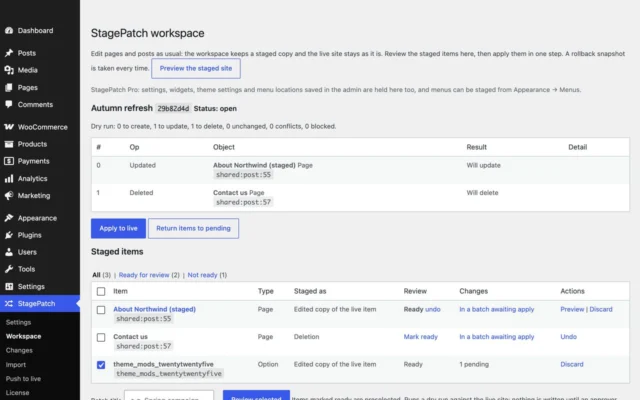
Stage content changes and apply them as a patch, inside one site or from staging to live.
-
TagEasy for WordPress
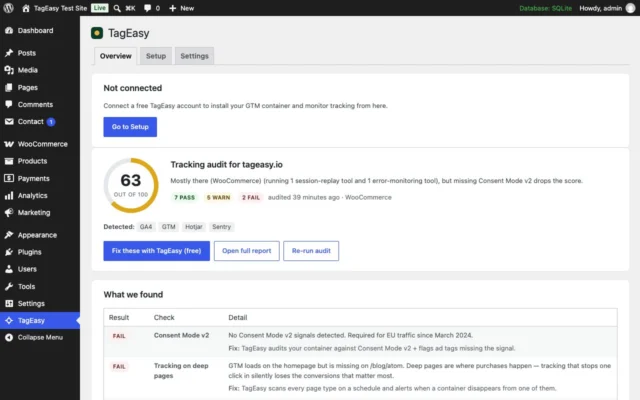
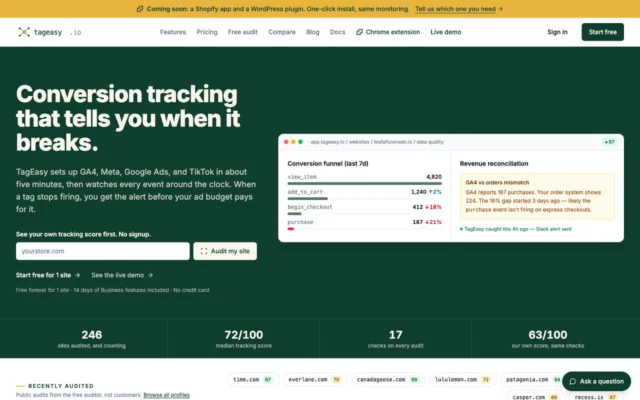
Connect a WordPress site to TagEasy in one click.
Get CartProof
Tests WooCommerce updates with real test orders in a sandbox copy of your store, before they go live.